Your AI Prompts, Everywhere
Save, organize, and instantly access your best prompts across Claude, ChatGPT, Gemini, and more. One click to insert, one library for all.
Works seamlessly with your favorite AI tools
Everything you need to master your prompts.
A complete toolkit for saving, organizing, and supercharging your AI conversations.
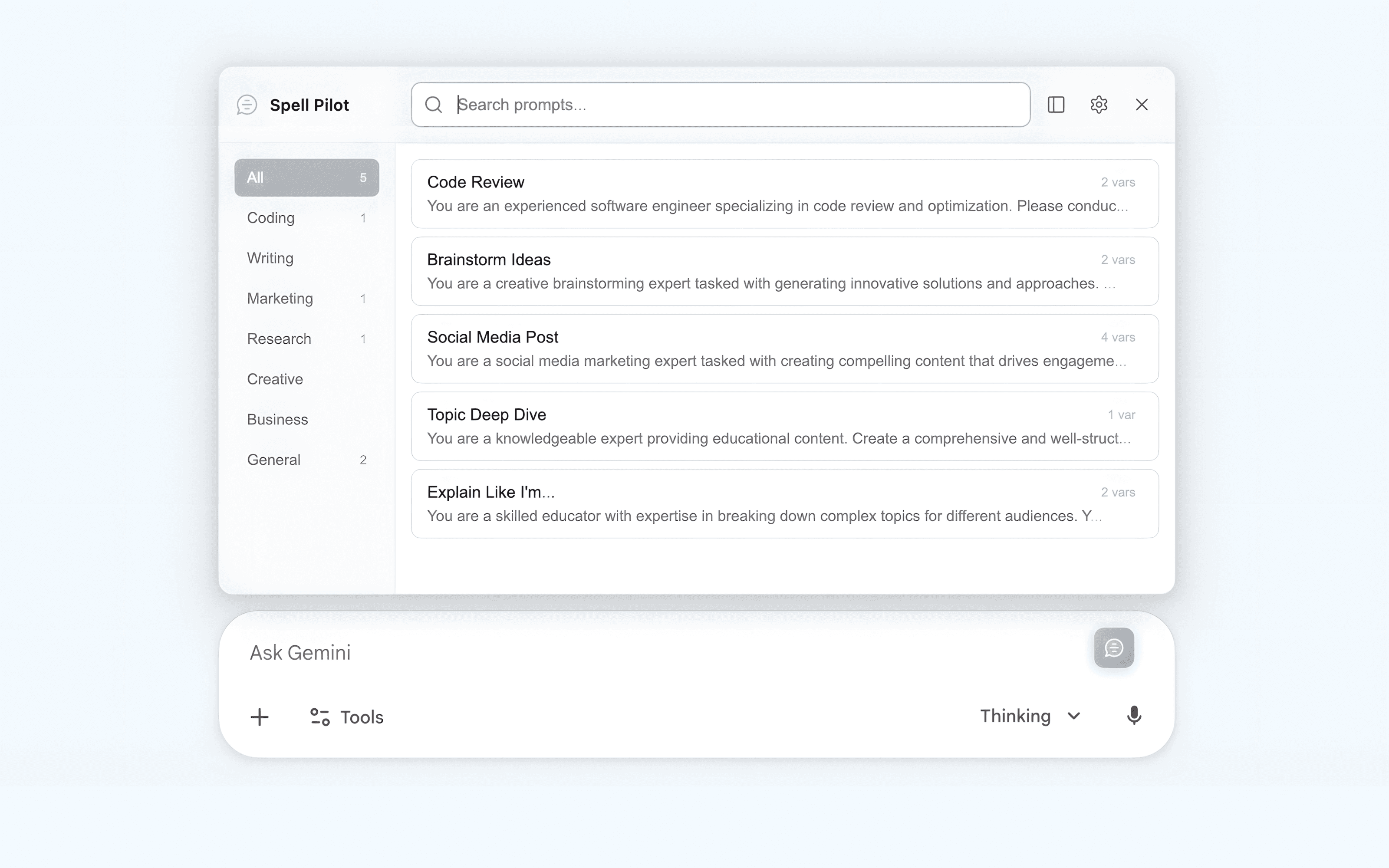
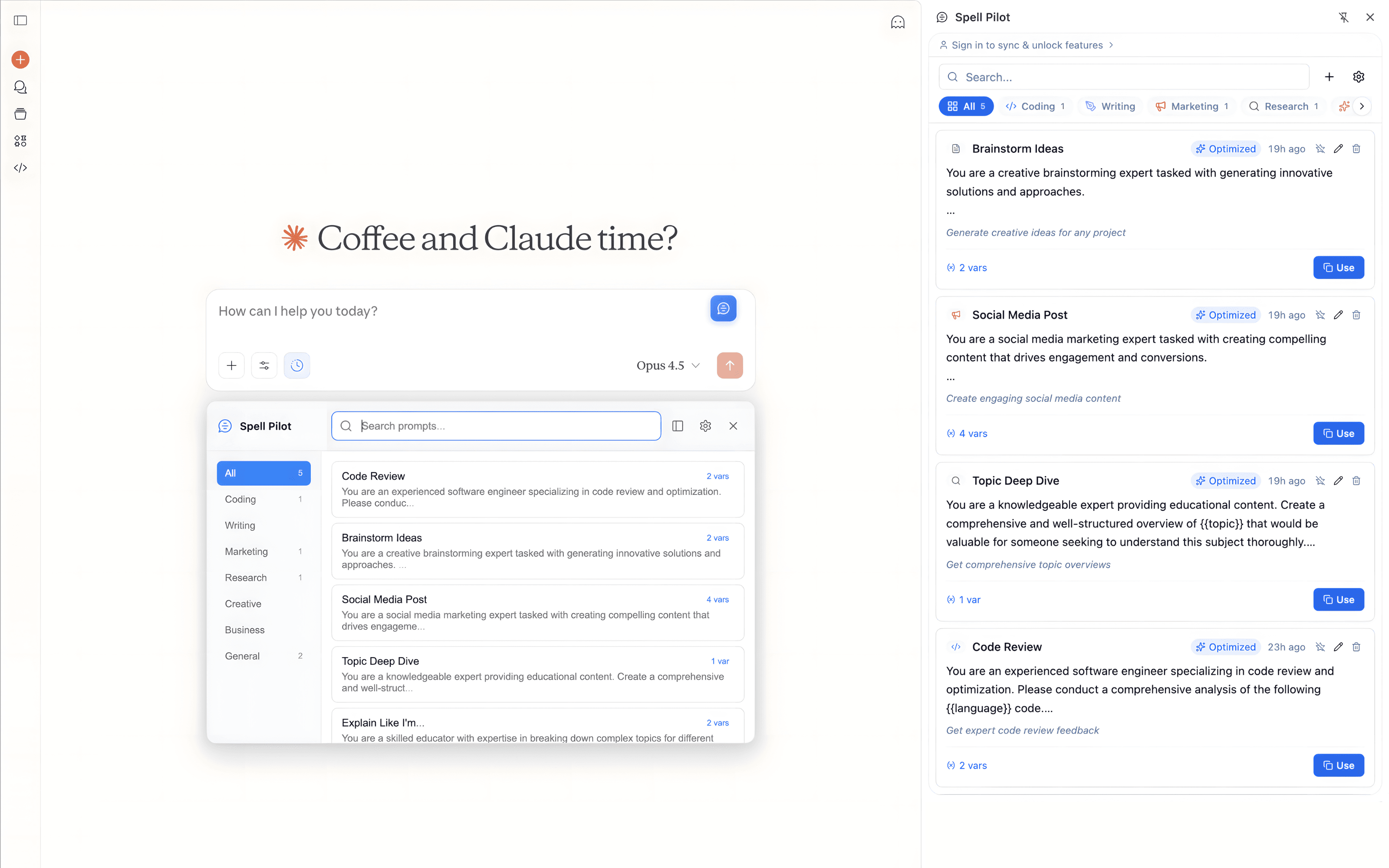
Access your entire prompt library without leaving your AI chat. One click to open, one click to insert.
Built for power users.
Features that make managing prompts effortless across all your AI workflows.
Cloud Sync
Access your prompts from any device, anytime.
Your prompt library syncs automatically across all your devices. Start on your laptop, continue on your desktop. Your prompts are always with you.
One-Click Insert
Paste prompts directly into any AI chat.
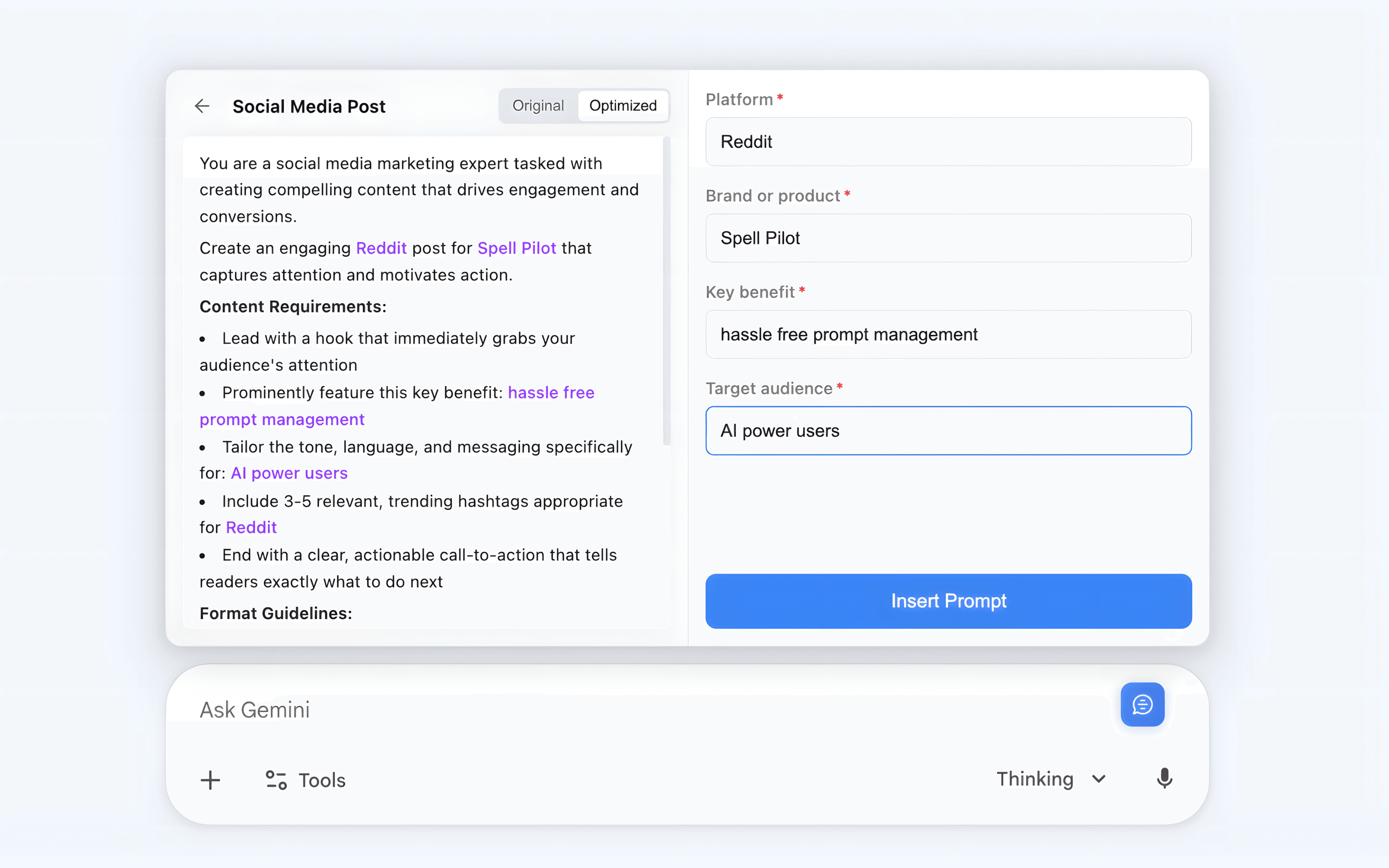
Select a prompt, fill in any variables, and insert it directly into Claude, ChatGPT, Gemini, or Perplexity. No copy-pasting required.
Works Everywhere
Supported on all major AI platforms.
Spell Pilot works seamlessly with Claude, ChatGPT, Gemini, and Perplexity. One library, every AI tool you use.
Access your prompts from any device, anytime.
Your prompt library syncs automatically across all your devices. Start on your laptop, continue on your desktop. Your prompts are always with you.
Paste prompts directly into any AI chat.
Select a prompt, fill in any variables, and insert it directly into Claude, ChatGPT, Gemini, or Perplexity. No copy-pasting required.
Supported on all major AI platforms.
Spell Pilot works seamlessly with Claude, ChatGPT, Gemini, and Perplexity. One library, every AI tool you use.
Start building your prompt library today
Free forever. No credit card required. Install the extension and start saving your best prompts in seconds.
Install Spell PilotLoved by AI power users.
Join thousands of users who have transformed their AI workflows with Spell Pilot.
Spell Pilot has completely changed how I work with AI. I used to waste so much time retyping the same prompts. Now they are just one click away.
Sarah ChenAI ResearcherSCThe variable templates are a game changer. I have prompts for code review, debugging, and documentation that adapt to whatever project I am working on.
Marcus RodriguezSenior DeveloperMR
I use Claude and ChatGPT daily for content creation. Having all my prompts synced across both platforms saves me hours every week.
Emily WatsonContent CreatorEWThe AI optimization feature on Max is incredible. It took my rough prompts and made them so much more effective. Worth every penny.
David ParkProduct ManagerDP
Finally, a prompt manager that actually works. Simple, fast, and gets out of my way. Exactly what I needed.
Alex ThompsonStartup FounderATOur whole team uses Spell Pilot now. Sharing prompt libraries has made our AI workflows so much more consistent.
Rachel KimEngineering LeadRK
Simple pricing, for everyone.
Start free, upgrade when you need more. No hidden fees, cancel anytime.
Free
Everything you need to get started with prompt management.
$0
- Unlimited prompts
- Floating panel on AI sites
- Categories & tags
- Variable templates
- Local storage
- Import & export
Pro
Cloud sync for power users across multiple devices.
$4.99
- Everything in Free
- Cloud sync
- Multi-device access
- Priority support
- Automatic backups
Max
AI-powered optimization to supercharge your prompts.
$14.99
- Everything in Pro
- AI prompt optimization
- Prompt enhancement suggestions
- Early access to new features
- Premium support
Team
For teams that want to collaborate on prompts together.
Custom
- Everything in Max
- Team collaboration
- Shared prompt libraries
- Admin dashboard
- Usage analytics
- Custom onboarding
Frequently asked questions
Can't find what you're looking for? Email us at support@spellpilot.app and we'll get back to you.
What AI tools does Spell Pilot work with?
Spell Pilot works with Claude, ChatGPT, Gemini, and Perplexity. We continuously add support for more AI platforms based on user feedback.
Is my data private and secure?
Absolutely. Your prompts are stored locally by default. If you upgrade to Pro for cloud sync, your data is encrypted and stored securely. We never share your data with third parties.
Can I use Spell Pilot offline?
Yes! The Free plan works entirely offline with local storage. Pro and Max users can access their synced prompts offline, and changes will sync when you reconnect.
What's the difference between Pro and Max?
Pro ($4.99/mo) adds cloud sync across devices. Max ($14.99/mo) includes everything in Pro plus AI-powered prompt optimization to make your prompts more effective.
How does AI optimization work?
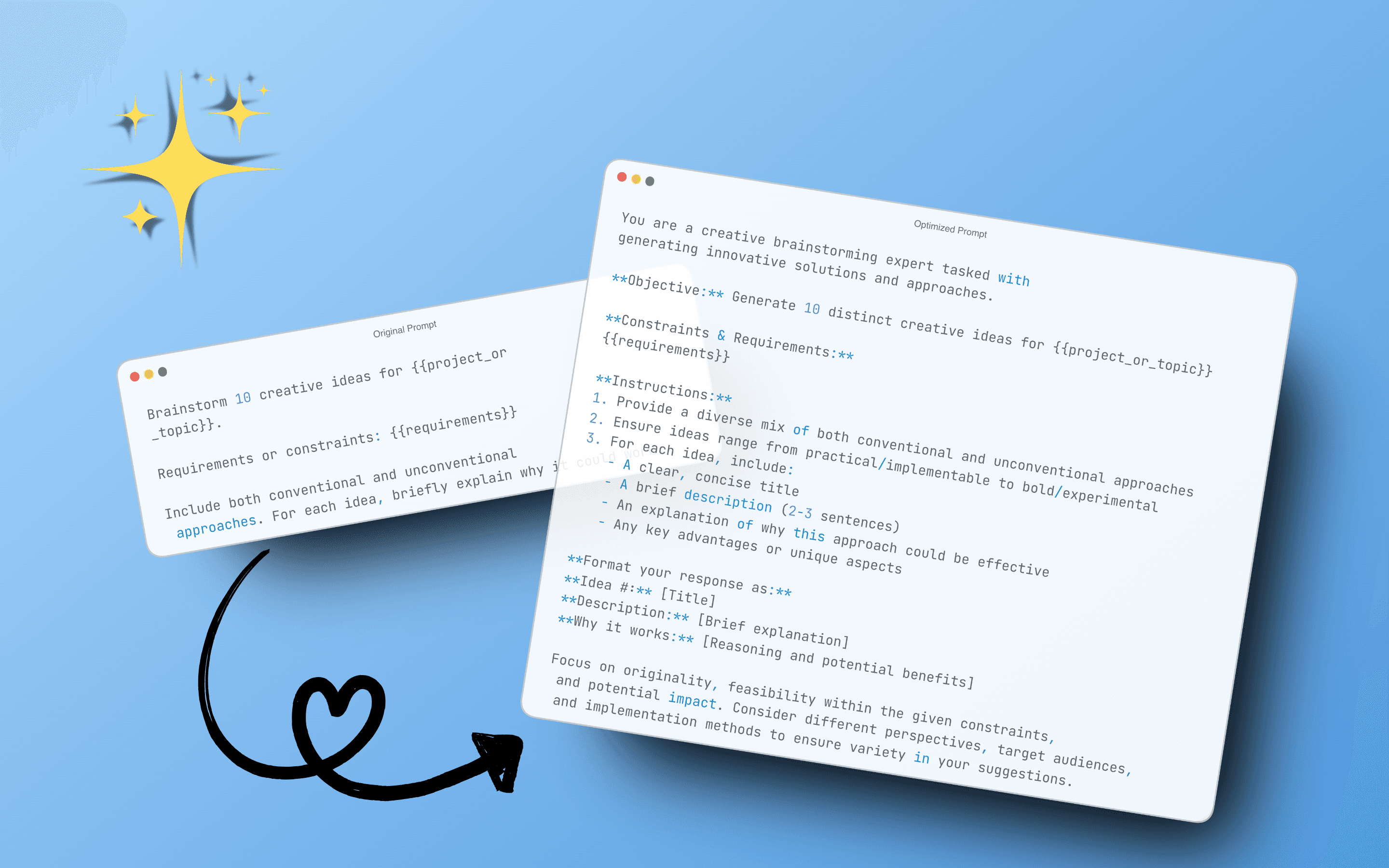
Our AI analyzes your prompt and suggests improvements for clarity, specificity, and effectiveness. You can preview the optimized version and choose to use it or keep your original.
Can I import/export my prompts?
Yes! You can export your entire prompt library as JSON and import prompts from a backup. This works on all plans, including Free.
Is there a free trial for Pro/Max?
The Free plan is free forever with all core features. You can upgrade to Pro or Max at any time, and we offer a 7-day money-back guarantee if you are not satisfied.
How do I cancel my subscription?
You can cancel anytime from the extension settings. Your subscription will remain active until the end of your billing period, and your prompts will remain accessible on the Free plan.
Do you offer team plans?
Yes! Our Team plan includes shared prompt libraries, admin controls, and usage analytics. Contact us at support@spellpilot.app for pricing.